


★★★★★ Family peace of mind
“My mum wanted something simpler than a phone, and this was the first reminder system she actually kept using. The optional text check-ins make me feel far less anxious during the week.”
Sarah, daughter


How MedClock Works
MedClock does more than sound an alarm. When the reminder is acknowledged, family can receive a simple text confirming everything is okay.
MedClock device
MedClock sits ready with the time clearly visible until the next medication reminder is due. When medication is due, the screen changes and an audible beep draws attention to the reminder. The device can be set to beep in cycles of 5 until acknowledged, helping ensure the user presses the button. If more medications are scheduled for that time, the first green-button press can move to the next page. MedClock can show up to 10 medications for one reminder time across up to 5 pages. After the final acknowledgement, the SMS is sent and the device returns to its normal clock view for the next reminder.
Want to see a video on how it works instead? Watch it here.
Family SMS check-in
Nothing is sent yet. The SMS check-in only goes out after the reminder has been acknowledged. Family still does not need to call. The message is only sent after the user presses the button. This first press only changes the medication page. A second press is what continues the check-in flow. Family receives a simple text confirming the reminder was acknowledged, helping them know everything is okay.
Like many older people, my grandad loved the comfort of his own home and the independence that came with it. But a lot of devices meant to help - SOS necklaces, watches, and other gadgets - often get put aside instead of becoming part of everyday life.
A few years ago, my grandad suffered a fall while living independently. No one realised something was wrong for almost two days.
That experience stayed with me. I wanted to build something genuinely simple. Not another app. Not another device with confusing setup. Just a clear reminder clock that could fit naturally into someone’s day.
MedClock grew from that idea: medication reminders that feel straightforward to use, with optional family check-ins layered on top for reassurance.
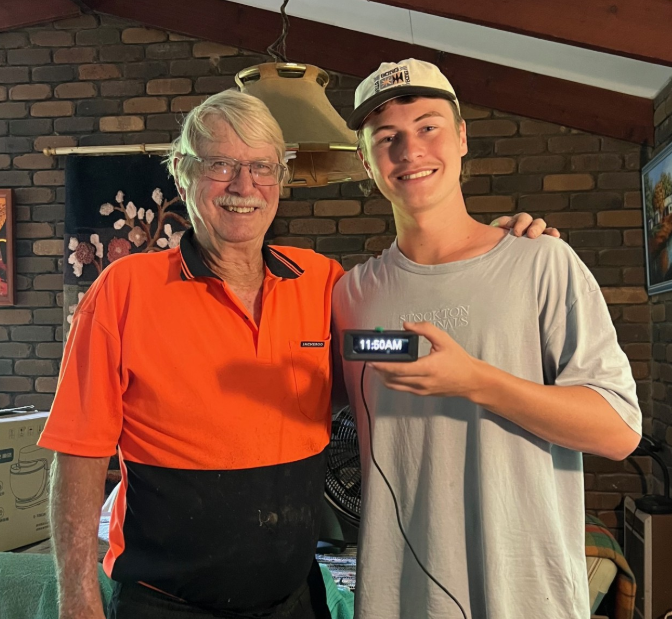
Families often tell us the same thing: MedClock feels simpler to use than app-based reminders, while the SMS check-ins help reduce the constant worry in the background.
“My mum wanted something simpler than a phone, and this was the first reminder system she actually kept using. The optional text check-ins make me feel far less anxious during the week.”
Sarah, daughter“Setup was much easier than I expected. Once it was on the kitchen bench, Dad understood the routine straight away. The big button and clear reminders make a big difference.”
Michael, family carer“Before MedClock, our check-ins felt like nagging. Now we can have normal conversations again because we are not constantly asking whether medication was taken.”
Julie, daughterMedClock is stocked in selected pharmacies and mobility stores and is helping Australian families support medication routines while maintaining independence at home.


.png)




“The option that’s been developed here (MedClock) is really useful for a particular cohort of older people. It’s never a one-size-fits-all solution.”
Geoff Rowe, CEO, Aged and Disability Advocacy AustraliaMedClock keeps the daily routine simple: a clear reminder, one button to acknowledge it, and optional SMS check-ins for family. That extra layer of reassurance is what makes it more helpful than a normal phone alarm.
MedClock gives an audible reminder when medication is due, helping create a routine that is easier to notice and follow each day.
No app, no login, and no touchscreen for the user. The reminder is acknowledged with one large button that feels simple and familiar.
When enabled, family can receive a simple text after key reminders are acknowledged, helping reduce worry without turning every day into a welfare call.
| Feature | MedClock | Phone Alarm |
|---|---|---|
| Medication reminders | Yes | Yes |
| Large one-button acknowledgement | Yes | No |
| No smartphone required | Yes | No |
| Optional family SMS check-ins | Yes | No |
| Designed for older users | Yes | Rarely |
Try MedClock in a real home routine, with time to decide whether it feels simple, reassuring, and right for your family.
Use MedClock where it matters most: in the everyday setting it was designed for. If it is not the right fit, the 30-day trial gives families room to decide with confidence.
If you start with the device-only option, SMS check-ins can still be added later. That keeps the first step simple while leaving room to grow.
From setup to day-to-day questions, support is available so families are not left trying to figure everything out on their own.
This works best for households who want something clearer than a phone alarm and less intimidating than a complicated health-tech setup.
Supports medication routines with a product that feels direct and approachable.
Creates a simple check-in rhythm without needing constant calls or reminders.
Offers a practical routine aid that is easier to introduce than a full app-based workflow.
No. The user does not need a smartphone, app, login, or touchscreen to acknowledge reminders.
When SMS is enabled, a nominated family member can receive confirmations when the first and last reminders of the day are acknowledged.
No. MedClock is a reminder and notification system. It is not a fall detector, medical device, emergency response system, or substitute for professional care or emergency services.
Yes. If you purchase the device-only option, SMS can be added later.
MedClock is suited to older Australians living independently, families worried about a parent or grandparent, and people who want a simple medication reminder with optional family reassurance.
Join over 500 Australian families using MedClock to support independence at home with a product that feels clear, calm, and easy to use.
MedClock is a reminder and notification system designed to assist with daily routines and medication reminders. It is not a medical device, emergency response system, fall detection device, or a substitute for professional medical care, supervision, or emergency services.
Users and carers remain responsible for ensuring appropriate care arrangements are in place.
Happy with the MedClock I bought for my parents, once setup it is easy for them to use, the one push button is ideal for them.
With no internet it is good to be able to use the clock as just a medication reminder.
There is good support from Vexian if needed.
This is one of the best products I have bought for my dad! He refuses any home support and hardly answers his phone. It was a simple setup and is really easy for my dad to press the button.
Really thoughful product and perfect for my Mum.
Intelligent monitoring systems designed to help people stay independent while giving families extra peace of mind.
Helping families stay connected.
Follow VEXIAN on social media for MedClock updates, new features and future products.


